Locate where your data is held
In the Select company window, check the company's Data path:
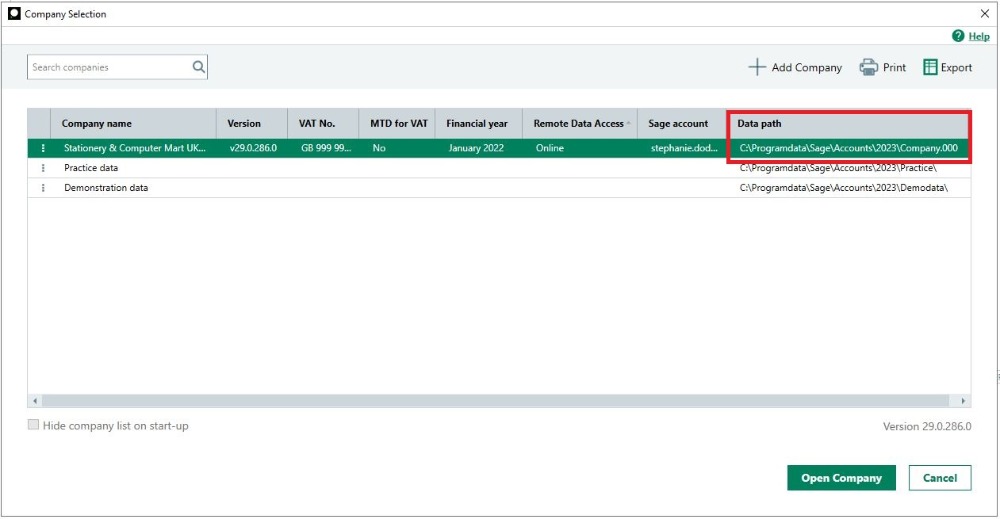
When the path starts with C:\, the data is held on your computer, while paths starting with \\ indicate the data is on a different computer. If you're unsure, contact your IT support.
Once you know where your data is held, follow the steps below on that computer.
Install the Sage Accounts Data Service
Download and install the Sage Accounts Data Service for your version.
- Download and install the relevant file below:
- To complete the installation, follow the onscreen prompts.
Check key permissions - Sage 50 Accounts v28 or above
If you're using Sage 50 Accounts v28 or above, as an additional step, check the Data Service key permissions.
If the issue persists
If this or other Sage service messages appear, you can find further help in our troubleshooting data services article.
This can involve checking Windows settings, such as firewalls and folder permissions. If you need support with this, refer to your IT support.
You can also find further help by searching in the Sage Help Centre.